

AI photo-to-3D generator
Turn any photo into a 3D model
Upload one picture. Get a textured 3D model you can 3D print, edit in Blender or drop into a game. No 3D skills needed.
- 3 free credits
- No credit card
- STL, OBJ, GLB, 3MF
Your photo
How it works
Three steps. No modelling software, no 3D experience.
- 01
Upload a photo
Any clear picture of one object: a figurine, a pet, a product, a sketch. JPG, PNG or WebP.
- 02
AI builds the model
It works out depth, shape and texture from the image. Most models are ready in under a minute.
- 03
Download and use it
STL or 3MF for your slicer, OBJ for Blender, GLB for games, AR and the web.
For things you actually make
3D printing
STL and 3MF files that open in Bambu Studio, PrusaSlicer, Cura and OrcaSlicer.
Figurines and gifts
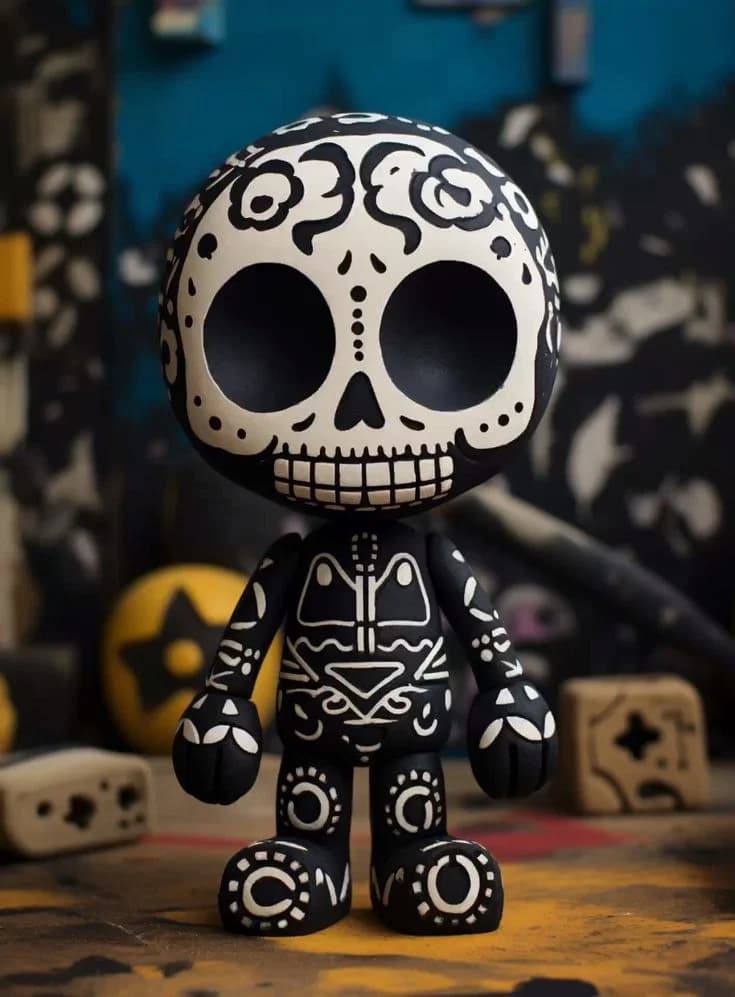
Characters, pets, collectibles and keepsakes, from a single photo.
Games, AR and design
Textured GLB and OBJ for Blender, Unity, Unreal and the web.
Start free. Pay when it's worth it.
Every new account gets 3 free credits, no credit card. When you want more, plans start at $20 a month, or buy a one-time credit pack.
Questions
Anything else? Email jakub@makeit3d.app. A person answers.
How do I 3D print from a picture?
Upload your picture to MakeIt3D and download the result as an STL file. Open it in any slicer such as PrusaSlicer, Cura, or Bambu Studio, then send it to your printer. The whole process takes under 5 minutes.
Can I convert a JPG or PNG to a 3D model for free?
Yes. Every new account gets 3 free credits, no credit card required — enough to generate 3 models and download them as GLB, OBJ, STL, or 3MF. Buy a credit pack or subscribe only when you want more.
What kind of photos work best?
Clear, well-lit photos with the subject centered against a simple background work best. Front-facing or 3/4 angle shots usually produce stronger geometry.
What file formats can I download?
Download GLB for game engines and AR/VR, OBJ for Blender, Maya, or 3ds Max, and STL for 3D printing.
Can I use models commercially?
On the Light and Heavy plans, yes: models you make come with a commercial license, as long as you have the right to use the photo. Models made with free credits or credit packs are for personal, non-commercial use.
Do I need a subscription?
No. You get 3 free credits when you sign up, so you can generate and download real models before paying anything. After that, buy a one-time credit pack or subscribe — subscriptions give the best credit-per-dollar rate and priority access during high load.
Show 10 more questionsFewer questions
How do I convert a photo or image to a 3D model?
Upload your photo or reference image on MakeIt3D and click Generate. The AI model infers depth and geometry from a single image and produces a textured 3D mesh in GLB, OBJ, or STL format.
How do I convert an image to STL?
Upload your image on MakeIt3D, generate the 3D model, then choose STL from the download options. STL files work with all consumer 3D printers and slicers.
What is the Precise model?
Precise is MakeIt3D's high-detail image-to-3D model. It costs 3 credits, takes about 2 to 4 minutes, and is best for final assets and 3D printing. Your 3 free signup credits cover one Precise model, so you can try the best quality before paying.
Can I 3D print models generated by MakeIt3D?
Yes. Download in STL format and open it in any slicer, including PrusaSlicer, Cura, or Bambu Studio. The output is designed to be ready for printing.
Do credits expire?
No. Your 3 free signup credits and any one-time credit packs never expire. Subscription credits accumulate each month and unused ones carry over.
How do I get credits?
You start with 3 free credits the moment you sign up — no credit card. After those, buy a one-time credit pack (no subscription needed) or subscribe for the best per-credit rate.
Can I share my generated models?
Yes. Each model gets a public link you can share. Viewers can inspect it in the 3D viewer without needing an account.
How do I turn a picture into a 3D model?
Upload a picture on MakeIt3D and click Generate. The AI turns the image into a 3D model with real geometry and texture, ready to preview in the browser and download as GLB, OBJ, or STL.
Can I generate a 3D model from photos?
Yes. Upload up to 4 photos of the same object from different angles, or just one, and MakeIt3D generates a single textured 3D model from them.
Is there a free AI STL generator?
Yes. MakeIt3D gives every new account 3 free credits with no credit card, so you can generate 3D models from your images and export them as STL files for 3D printing at no cost.
Convert a photo into a 3D-printable model
MakeIt3D is an AI 3D model generator that turns a picture into a 3D model, a photo into an STL, or several photos into one 3D file. It suits new ideas, 3D game assets for prototypes, STL workflows for printing, and photo-to-3D for organic objects, collectibles, product photos, food, buildings, and visual assets. Browse free 3D model collections by category — cars, dogs, robots, and more — to download without generating your own.
Turn a picture into a 3D model
Start from one reference image when you have a product photo, figurine, collectible, food item, building, or visual asset. MakeIt3D estimates the object's shape, depth, and texture, then returns a textured 3D mesh you can preview in the browser.
Generate a 3D model from photos
Upload up to 4 photos of the same object from different angles for stronger geometry, or use a single photo. MakeIt3D fuses the views into one textured mesh instead of requiring dozens of overlapping shots like traditional photogrammetry.
Photo to STL for 3D printing
Generate the model, choose STL from the download options, and open it in PrusaSlicer, Cura, Bambu Studio, or OrcaSlicer. Simple silhouettes, solid objects, and clean lighting usually give the strongest printable geometry.
What works best from real use
- Use a single object, centered in frame, with a clear outline.
- Shoot at eye level or a 3/4 angle instead of a steep top-down angle.
- Avoid transparent, reflective, or very thin objects when you need a printable STL.
- Crop out background clutter before uploading when the object is small in the photo.
- Use a sharp JPG, PNG, or WebP reference image with the full subject visible.
Which download format to choose
- STL
- Best for 3D printing in PrusaSlicer, Cura, Bambu Studio, and OrcaSlicer.
- OBJ
- Best for editing in Blender, Maya, 3ds Max, and other 3D tools.
- GLB
- Best for web viewers, AR, VR, game engines, and compact sharing.